
Adjusting a voice to make it sound different
-
I have two Ivona voices installed on my computer and those work well with Text Speaker. I have used both of them a lot. Now, I want to use a different voice to read a text file. Can I change the properties of the installed voice to make it sound different?
-
Text Speaker allows you to adjust the volume, pitch and speed of an installed voice. Adjusting the voice properties will help you generate a voice that will sound different than the original voice.
To adjust the voice properties, go to Tools >> Voice. Change the volume, pitch and speed values using the slider. Click the Test Settings button to listen the text sound.
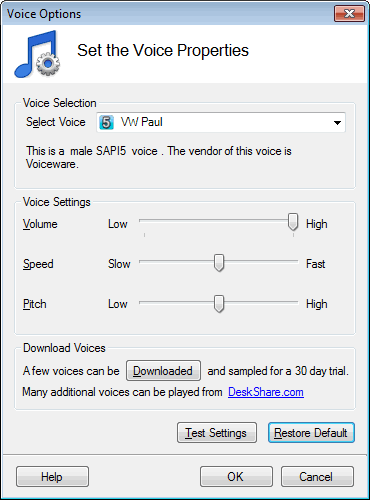
Adjusting the voice properties may also make the reading more understandable.
Please note that the changes done on the Voice Options dialog apply to the entire document read by Text Speaker.
Hello! It looks like you're interested in this conversation, but you don't have an account yet.
Getting fed up of having to scroll through the same posts each visit? When you register for an account, you'll always come back to exactly where you were before, and choose to be notified of new replies (either via email, or push notification). You'll also be able to save bookmarks and upvote posts to show your appreciation to other community members.
With your input, this post could be even better 💗
Register Login