
Display a message after completing scheduled screen recording
-
I want to set My Screen Recorder Pro to record on a schedule, but how do I know that recording was completed successfully? Does My Screen Recorder Pro show any message after completing the recording?
-
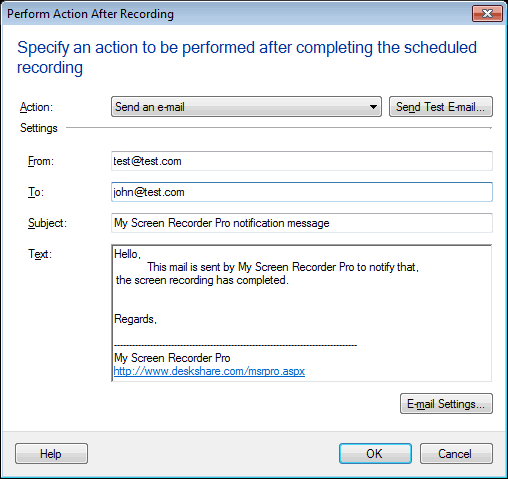
You can configure My Screen Recorder Pro to display a message or send an email alert after completing a scheduled screen recording.
When you add a schedule, you can configure the action to be performed at the end of screen recording. You have the option to display a message box, or an overlay message or send an email. Select the action you would like from the drop-down list.
When the scheduled recording is complete, the action you have selected will be performed.
Hello! It looks like you're interested in this conversation, but you don't have an account yet.
Getting fed up of having to scroll through the same posts each visit? When you register for an account, you'll always come back to exactly where you were before, and choose to be notified of new replies (either via email, or push notification). You'll also be able to save bookmarks and upvote posts to show your appreciation to other community members.
With your input, this post could be even better 💗
Register Login