
Change the filename for video recordings
-
I am recording videos from my IP cameras using Security Monitor Pro. The recorded files are saved with the camera name. I want to have a different name for the recorded files. Can I change it?
-
Security Monitor Pro saves the video recordings with the camera name as the prefix of the file name.
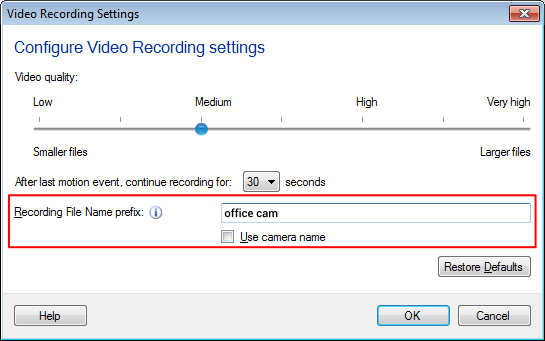
To change these settings, open 'Manage Cameras' dialog from the tool bar. Select the camera and click 'Edit Camera' button.
On actions tab, look for Video Recording action and click on Configure button. Now uncheck the ‘Use camera name’ option and enter your desired prefix like 'Office camera', 'Garden Camera', etc. to the file name.Note- The Date and Time of the video is appended by default to the file name automatically.
Hello! It looks like you're interested in this conversation, but you don't have an account yet.
Getting fed up of having to scroll through the same posts each visit? When you register for an account, you'll always come back to exactly where you were before, and choose to be notified of new replies (either via email, or push notification). You'll also be able to save bookmarks and upvote posts to show your appreciation to other community members.
With your input, this post could be even better 💗
Register Login