
Making mouse clicks more noticeable in my screen recordings
-
I use My Screen Recorder Pro for creating product demos. I am looking for a way to show my viewer when I have clicked on the screen, and ideally when it is a right mouse click instead of the regular left mouse click. Thanks for your help.
-
Showing a mouse click can be important when you are creating a demo video for software applications or a tutorial.
My Screen Recorder Pro gives you the ability to add an effect when there is a mouse click.
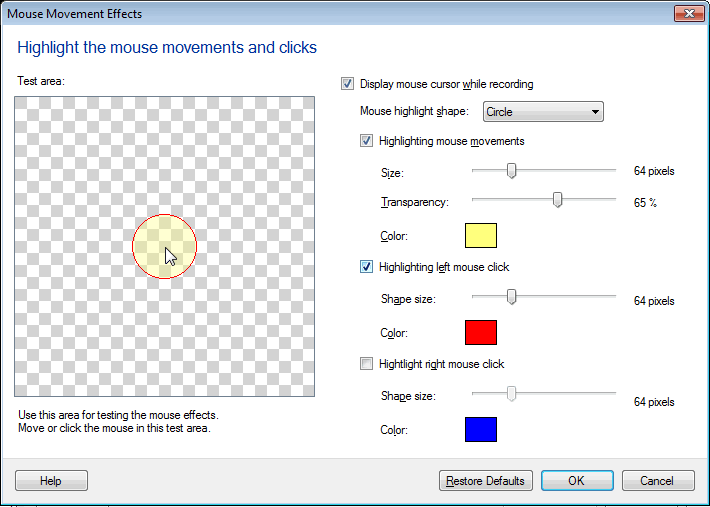
From the Effects menu, you can apply mouse movement effects. Select separate colors for the right and left mouse clicks. Different options are available for the shape used to highlight the mouse click. You can also adjust the size of the selected shape. Use the test area to make sure your mouse effect selections are effective.
Create a new screen recording. You will see the mouse click effects in your recorded video file.
Hello! It looks like you're interested in this conversation, but you don't have an account yet.
Getting fed up of having to scroll through the same posts each visit? When you register for an account, you'll always come back to exactly where you were before, and choose to be notified of new replies (either via email, or push notification). You'll also be able to save bookmarks and upvote posts to show your appreciation to other community members.
With your input, this post could be even better 💗
Register Login