
Rotating through IP camera previews
-
I have three IP cameras in use in Security Monitor Pro. Can I keep one camera preview on the single camera layout for a few seconds and then move to the next camera preview?
-
Security Monitor Pro can show the camera preview in Cyclic order.
To apply this settings, go to the ‘View’ menu and select the ‘Cycle Cameras’ option. This will move the preview to next camera after 30 seconds.
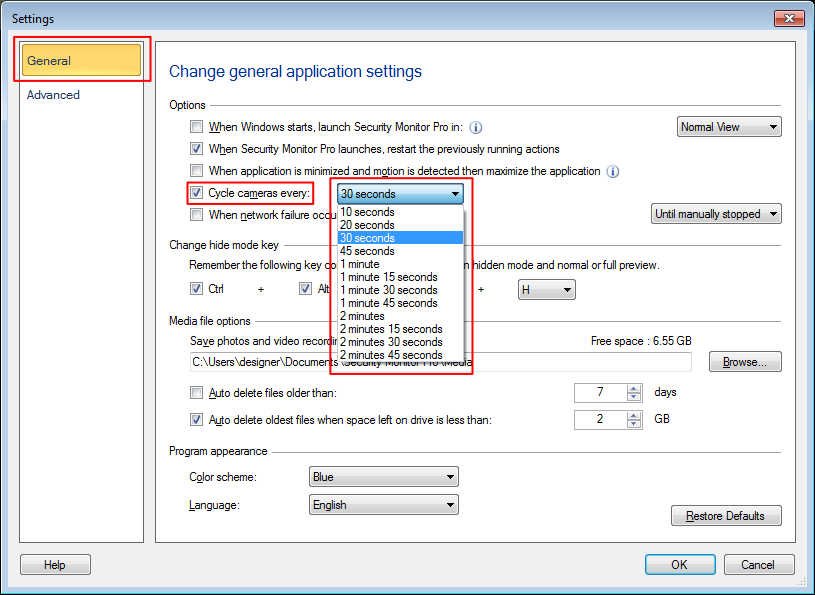
To change the cycling rate, click on 'Settings' option from tool bar. On General settings, look for 'Cycle cameras every' option and choose the time interval to wait on a camera preview.
Hello! It looks like you're interested in this conversation, but you don't have an account yet.
Getting fed up of having to scroll through the same posts each visit? When you register for an account, you'll always come back to exactly where you were before, and choose to be notified of new replies (either via email, or push notification). You'll also be able to save bookmarks and upvote posts to show your appreciation to other community members.
With your input, this post could be even better 💗
Register Login