
Identifying which camera a recording was made on
-
Hello,
I have around 30 cameras connected in my farm, all the same model. The cameras are working well in Security Monitor Pro and recording are pretty clear. When I review the recordings, I sometimes have trouble in identifying which camera the recording came from. The recording just shows the date and time. Is there some way to make identification easier? -
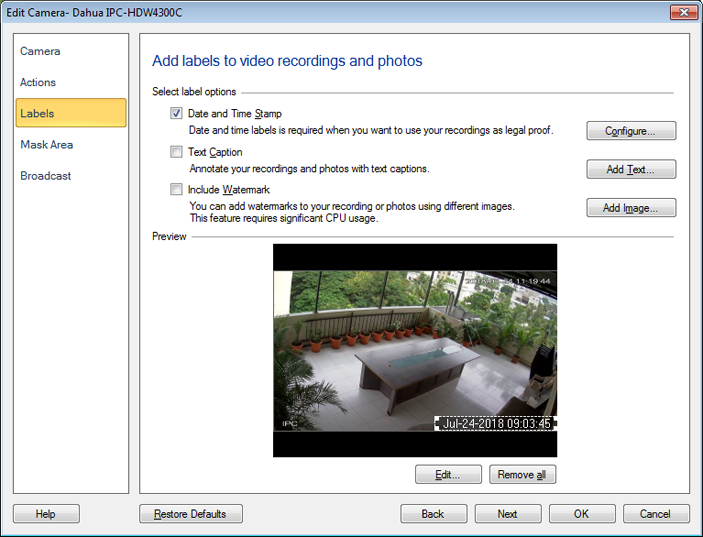
When you have many cameras looking at an area from different angles it can sometimes be difficult to tell which camera you are viewing or recording. There is a simple solution to this problem - you can add on screen labels so it is easy to identify what you are looking at.
Edit your camera, then select Labels. Check the box for Text Caption, and add your camera location here. For Example: Backyard south view, Front yard driveway, etc. See this image for reference:
Hello! It looks like you're interested in this conversation, but you don't have an account yet.
Getting fed up of having to scroll through the same posts each visit? When you register for an account, you'll always come back to exactly where you were before, and choose to be notified of new replies (either via email, or push notification). You'll also be able to save bookmarks and upvote posts to show your appreciation to other community members.
With your input, this post could be even better 💗
Register Login