
STARTTLS error is shown while sending a test email
-
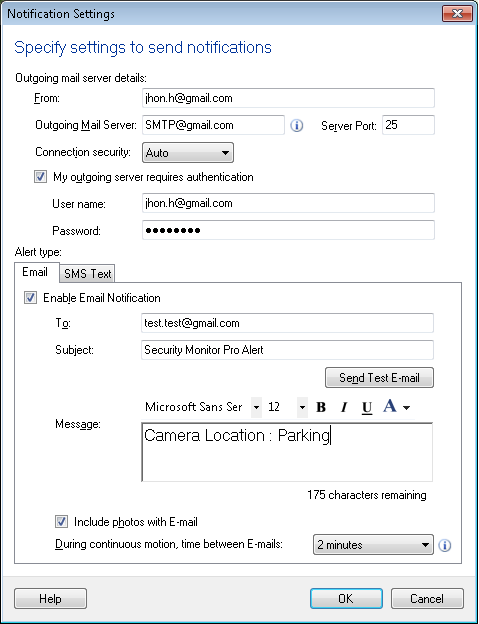
I am having a problem configuring notification by email. I have entered my SMTP server, username and password. When I use the 'test' button, I get a message '5.7.0 Must issue a STARTTLS command first'. I am using port 587 to send the email. I appreciate any help you can provide.
-
Security Monitor Pro supports all standard mail servers. When you are sending a test email, make sure you have entered the connection details correctly. Looking at your error message, it appears you have not selected the correct security settings from the Connection Security drop down on the Email Notification Settings window.
Choose the TLS option from the Connection Security drop down and the issue should be fixed.
Hello! It looks like you're interested in this conversation, but you don't have an account yet.
Getting fed up of having to scroll through the same posts each visit? When you register for an account, you'll always come back to exactly where you were before, and choose to be notified of new replies (either via email, or push notification). You'll also be able to save bookmarks and upvote posts to show your appreciation to other community members.
With your input, this post could be even better 💗
Register Login