
Changing the mouse pointer while recording the screen
-
I am using My Screen Recorder Pro for creating instructional videos. I would like to have different mouse pointer in the recording. Can I do this?
-
Yes, you can select a different mouse pointer in My Screen Recorder Pro. Go to the ‘Effects’ menu and select the ‘Mouse Pointer Image’ option.
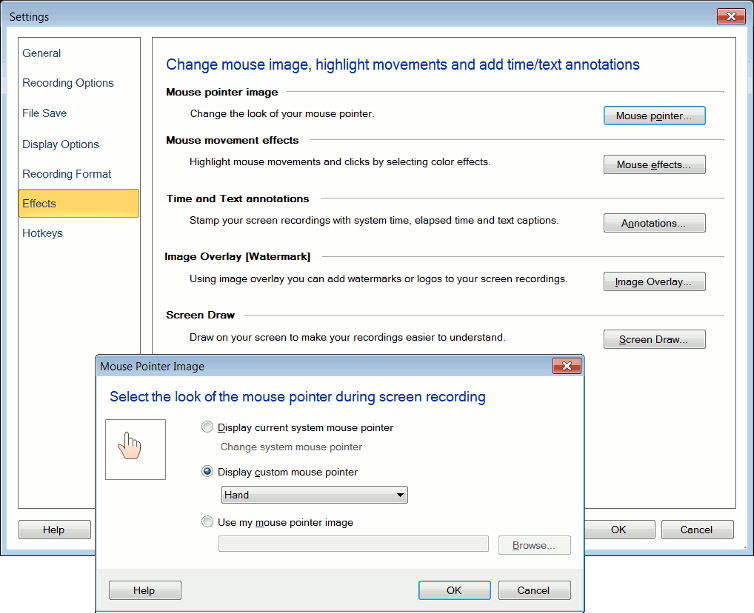
Change the system mouse pointer or select a custom mouse pointer from the drop down. You can also select your own mouse pointer using the browse button.
When you perform screen recording, you will see your selected mouse pointer in the recorded file.
Hello! It looks like you're interested in this conversation, but you don't have an account yet.
Getting fed up of having to scroll through the same posts each visit? When you register for an account, you'll always come back to exactly where you were before, and choose to be notified of new replies (either via email, or push notification). You'll also be able to save bookmarks and upvote posts to show your appreciation to other community members.
With your input, this post could be even better 💗
Register Login