
Hiding Security Monitor Pro from the desktop
-
Is it possible to keep Security Monitor Pro hidden so that no one can see it running on my desktop?
-
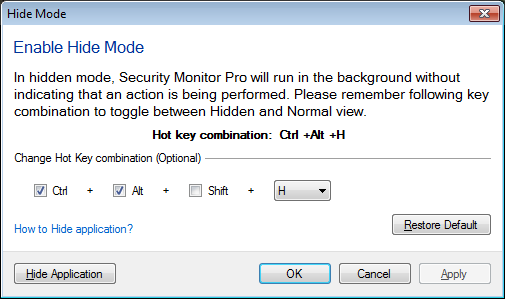
You can hide Security Monitor Pro from the PC screen and keep it running in the background.
Go to the File menu and select ‘Enable Hide Mode’ option. Use the key combination to switch the application between normal and hidden mode. You can also update the key combination.
In hidden mode, application will not be visible, but it will perform all the configured actions in background.
Hello! It looks like you're interested in this conversation, but you don't have an account yet.
Getting fed up of having to scroll through the same posts each visit? When you register for an account, you'll always come back to exactly where you were before, and choose to be notified of new replies (either via email, or push notification). You'll also be able to save bookmarks and upvote posts to show your appreciation to other community members.
With your input, this post could be even better 💗
Register Login