
Reading bold content in my document with a different voice
-
I am researching text to speech applications prior to purchase, and I have a question about Text Speaker. I am creating my own audiobooks and I would like to read content marked in bold with a different voice. Can this be done?
-
You can read the marked text in different voice with Text Speaker.
To change the voice for marked text, load your document in Text Speaker. Highlight the bold content which you want to read in a different voice. Right click on the selected content and choose the Insert Voice Change option. Select the voice you want to insert. Repeat this process for the remaining content.
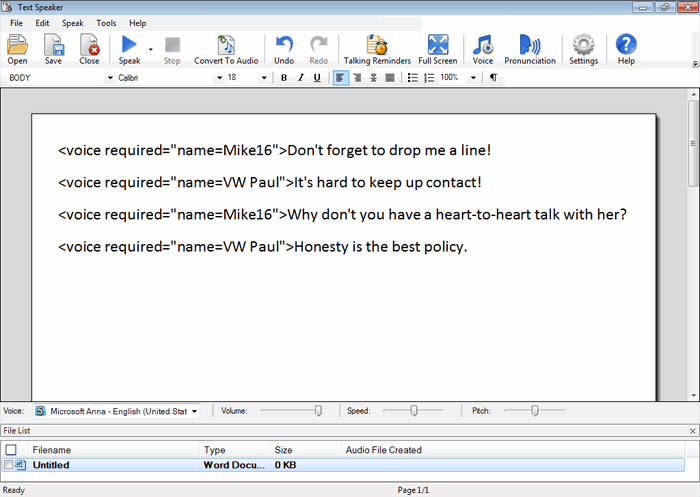
Remember to insert the original voice at the end of the sentence, otherwise Text Speaker will continue to read the document in the voice selected to read the bold content.
Another option is to use emphasis instead of changing the voice. Try highlighting the bold content as previously explained and choose Edit >> Emphasize selected word/phrase option.
Hello! It looks like you're interested in this conversation, but you don't have an account yet.
Getting fed up of having to scroll through the same posts each visit? When you register for an account, you'll always come back to exactly where you were before, and choose to be notified of new replies (either via email, or push notification). You'll also be able to save bookmarks and upvote posts to show your appreciation to other community members.
With your input, this post could be even better 💗
Register Login