
Configuring the amount of time to record after motion is detected
-
I have two webcams that are set to record video when motion is detected. I would like to know how to adjust the recording duration in order to make sure that all the motion events are captured by WebCam Monitor.
-
In WebCam Monitor you can set the time to continue recording for some seconds after the most recent motion detection event. Set this time from the ‘Video Recording Settings’ window.
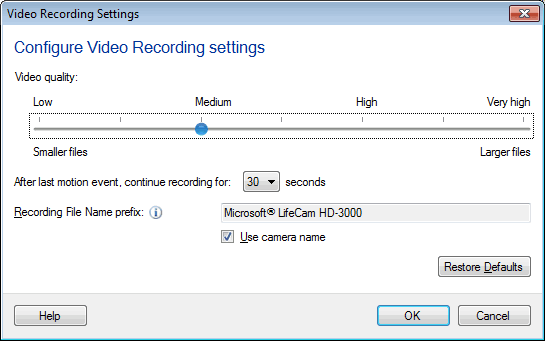
Select the time from 10 seconds to a maximum of 60 seconds. When motion is detected, recording will continue for the time you have selected as long as no new motion detection event occurs within the selected time. If any new motion event occurs within the selected time then recording will continue for the specified time from that point. This will make sure that no motion events are missed in recording.
Read more about Video Recording Settings.
Hello! It looks like you're interested in this conversation, but you don't have an account yet.
Getting fed up of having to scroll through the same posts each visit? When you register for an account, you'll always come back to exactly where you were before, and choose to be notified of new replies (either via email, or push notification). You'll also be able to save bookmarks and upvote posts to show your appreciation to other community members.
With your input, this post could be even better 💗
Register Login